


Candy AI video generation works from images and presets, not from a typed description. In a chat, a picture can become a 5-second clip, priced at 12 tokens on the public chat page. In Build Your Video, you pick a character, an action, a location and a partner, then stack up to 10 scenes of 5 or 10 seconds, at 12 or 20 tokens a scene. Video isn't part of the free allowance, and the results land in My Generations.
If you searched for the Candy AI generator because you want moving pictures rather than stills, this is how it works. We read the public video builder at candy.ai/create-video, the public chat pages and the help center on October 2, 2026, and add screenshots of a free account from September 2026. We haven't generated paid clips, and the token prices quoted below come from the builder's own page code rather than a published price list.
What the video generator can and can't do
Candy AI's help center has described video in two ways over time. An older article says "Candy.ai does not support direct video generation from scratch": you generate an image first, then turn it into short clips, which the article says are "not full-scale animations". The newer Build Your Video article, updated August 26, 2026, describes a preset builder that starts from a character rather than from an image you already have. Read together, there is still no box where you type a description and get a film back, but you no longer need a picture in hand to begin.
Both routes are short-form. Builder scenes run 5 or 10 seconds and the chat offer is a 5-second clip. The help center adds three caveats: video is "still in beta", "not all generated videos currently include audio", and some video features are "not yet available for all characters or accounts".
Route one: turn a chat image into a clip
- Open a chat with a ready-made character or one of your own.
- Generate a picture with Image under "Show me the scene", as explained in the image generator guide.
- Convert it. The help center says that after an image is generated in chat, "there will be an option to convert the image to a video if the image is suitable".
- Check the price. On public chat pages the offer reads "Generate a 5-second video of this exact moment", with a price of 12 tokens.
- Wait for the clip, which arrives in the conversation like any other message.
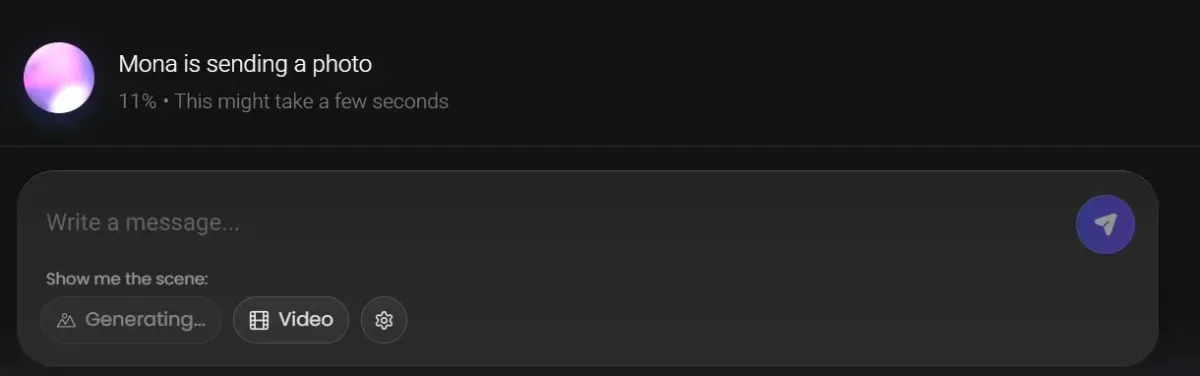
The Video button sits right next to Image, as the September 2026 screenshot shows. Notes from that session say clips took longer than stills and varied more in quality from one attempt to the next. The chat page's code also contains switches for 10-, 15-, 20- and 60-second chat videos, all turned off for a guest; whether signed-in users get longer chat clips is something we couldn't verify.
Route two: Build Your Video, scene by scene
The builder at candy.ai/create-video is one of the few tool pages a guest can open. It introduces itself as "Your fantasy, on video" and promises "get your video in minutes". On October 2, 2026 it offered:
| Characters | 77 video characters |
|---|---|
| Locations | 22, with Bedroom first, plus settings such as a living room, hotel, rooftop, kitchen, office, gym and cabin |
| Partner | Four options, including Random |
| Actions | 29 presets; a few are non-explicit, such as walking or a dance, most are explicit |
| Scene length | 5 or 10 seconds, 5 by default |
| Scenes per video | Up to 10 ("remove one to add another") |
| Price in the page code | 12 tokens per 5-second scene, 20 per 10-second scene |
| Where results go | My Generations |
- Choose your character, the builder's first screen.
- Pick an action from the presets.
- Pick a location and a partner option.
- Build your scenes: set each one to 5 or 10 seconds and add more, up to 10.
- Press Generate video. The page adds up the cost of every scene and disables the button if the total is more than your token balance.
- Find the clip in My Generations. The help center warns that results can vary.
Free account, Premium and tokens
| Free account | Premium | Tokens | |
|---|---|---|---|
| Chat clip from an image | Not in the free allowance | "Generate 18+ Videos" | 12 for a 5-second clip on public chat pages |
| Build Your Video | Page open to browse; no video in the free allowance | "Generate 18+ Videos" | 12 per 5-second scene, 20 per 10-second scene |
| Live Action | No | "Full Live Action Experience" | Some actions free, some cost tokens |
| Monthly tokens | None listed | 100 (330 on Premium Plus) | More at candy.ai/tokens, after sign-in |
The free allowance is spelled out in the help center: up to 5 chat messages, one custom character and one image. Video isn't on that list, and Candy AI doesn't say whether a free account could generate clips with tokens bought separately. The plans page lists "Generate 18+ Videos" among Premium benefits, and the upgrade box on creator profiles adds "Create AI Video". Premium is $3.99 a month on the annual plan (billed $47.88), $8.99 a month quarterly or $13.99 monthly.
What a clip costs in practice
Using the prices in the builder's page code, the arithmetic is simple:
- One 5-second clip: 12 tokens. Premium's 100 monthly tokens cover eight of them, with 4 left over.
- Ten 5-second scenes: 120 tokens for 50 seconds of video.
- The longest video, ten 10-second scenes: 200 tokens for 100 seconds, two months of Premium's allowance.
That works out to 2 tokens a second on 10-second scenes and 2.4 on 5-second ones. Token packs are priced only after sign-in, so the only dollar guide is the referral program's "200 tokens… (a $20 value)", about 10 cents a token: roughly 20 to 24 cents a second, as a ballpark. For scale, 12 tokens is also what one standard Shorts episode costs inside candy.ai (30 on creator series). Check the total the builder adds up before you press Generate; how plans and tokens fit together is in the Candy AI price guide.
Live Action is a different thing
Live Action often gets mentioned alongside video but works differently: it is an interactive mode with select characters, marked with a joystick icon, separate from the clip builder. The help center calls it "a Premium-only, token-gated feature" where "some actions are free; some require tokens", and says it is "currently… only available on mobile for Premium users". On October 2, 2026 the homepage row "Play with her in Live Action" showed 17 characters, two of them badged Romance Mode.
Each character's Live Action page runs on levels: "Earn XP by chatting with your AI to level up and unlock more Live Actions. Spam messages won't earn XP." Candy AI doesn't publish a token price per action. Since there is no native app, "mobile" means the mobile site or the home-screen web app described in the Candy AI app facts.
Videos you didn't ask for
Video can also arrive unprompted. Characters in Candy AI's "Realistic" chat mode send photos, voice notes and videos at random times, and the help center places the toggles to stop it behind the icon next to the gift icon at the bottom of the chat. It doesn't say what those unrequested videos cost; since videos need a token balance, switch the mode off if you want every spend to be your decision. The chat settings are covered in the AI chat guide.
Generated clips vs Candy Shorts
Generated clips are seconds long, made from options you pick and paid scene by scene. Candy Shorts are the opposite: scripted series written by Candy AI, with episodes under two minutes, 132 series in the catalogue and episodes 1 and 2 of every regular series free. The side-by-side comparison lives in Candy AI videos: Shorts vs custom generation; if you want to see the produced version first, the free episodes cost nothing.
Rules, saving and sharing
- The same content rules as images. Premium sells "Generate 18+ Videos", but the Blocked Content Policy and Community Guidelines still ban anything resembling minors, lookalikes of real people, deepfakes and non-consensual content. Details in Candy AI NSFW rules.
- Saving. Builder results go to My Generations. To keep a copy, the help center says to right-click and choose "Save video as", or on mobile to long-press and choose "Download video".
- Storage isn't permanent. The terms allow Candy AI to remove account content "after defined periods of inactivity", and the help center says characters can be removed for reworks, moderation or licensing reasons.
- Sharing. Commercial use is prohibited, and personal, unmonetized sharing is allowed for images of your own Create My AI characters; the article doesn't single out video, so assume the same limits. Candy AI says "Do not post content created via characters featured on the 'Explore' or homepage", so treat clips of its ready-made characters as being for your account only.
- Training. Content you create is licensed to EverAI under the terms, including for training its AI models.
Before you spend tokens on video
Set a budget first. A single 5-second clip at 12 tokens is the cheapest way to see whether the results suit you, and the builder adds up the cost of your scenes before you generate. Keep in mind that video shares one balance with images, voice and Private Content, so a long build can use up a month of Premium tokens in one go. The rest of the toolkit, from chat to Private Content, is mapped in the Candy AI tools hub.
Frequently asked questions
Can Candy AI generate a video from a text prompt?
Not as documented. You either convert an image generated in chat into a short clip, or build a video from presets in Build Your Video by picking a character, an action, a location and a partner. Neither route has a free-text box for describing the clip.
How long can a Candy AI video be?
In Build Your Video, each scene is 5 or 10 seconds and a video holds up to 10 scenes, so 100 seconds at most. The clip offered in chat is 5 seconds. The public chat page's code also contains longer chat lengths, all switched off for guests, so we couldn't verify them.
How many tokens does a Candy AI video cost?
On the public builder page, the code prices a 5-second scene at 12 tokens and a 10-second scene at 20, so a video costs between 12 and 200 tokens. The chat offer of a 5-second clip shows 12 tokens. Candy AI doesn't publish these as a price list, and token packs are priced only after sign-in.
Is Candy AI video generation free?
No. The free allowance in Candy AI's help center is 5 chat messages, one custom character and one image, with no video. Premium advertises "Generate 18+ Videos" and adds 100 tokens a month; see the price guide.
Where are my Candy AI videos saved?
Build Your Video saves results to "My Generations". The help center says you can download a video by right-clicking and choosing "Save video as", or on mobile by long-pressing and choosing "Download video".
Do Candy AI videos have sound?
Not always. The help center says video is "still in beta" and that "not all generated videos currently include audio". Some video features are also "not yet available for all characters or accounts".
Related guides
Chat, images, video, your own characters and Private Content.
Read the guide → How does the Candy AI image generator work?Images in chat or in the generator; one free, then tokens.
Read the guide → What is Candy AI Private Content?Token-priced packs from characters, opened from their profile.
Read the guide → Does Candy AI make videos?Yes: Shorts series to watch, plus token-based video generation.
Read the guide →