


You create a character on Candy AI with a guided builder: pick Realistic or Anime, set the looks screen by screen, then choose a name, age, personality, relationship, occupation and voice. Candy AI's help center says a free account can create one custom character, Premium lists "Create your own AI Girlfriend(s)" as a benefit, and creating a custom AI uses tokens. Lookalikes of real people and anything resembling minors are banned.
The Candy AI character creator, called Create My AI inside the product, is how you create your own AI girlfriend instead of picking one from the roster. It is a wizard, not a prompt box: one decision per screen, large preview cards and a summary at the end. We read the public builder page and Candy AI's help center on October 2, 2026; the screenshots below come from a free-account session in September 2026. We have not built a character on a paid account, so where the product and the help center disagree, we show both.
How to create your own AI girlfriend on Candy AI
- Open Create Character from the sidebar. With the girls category selected, it opens a builder titled "Create your Dream AI Girl".
- Pick the type and style: tabs for Girls and Trans, then Realistic or Anime as two large preview images, then Start. Anime was marked "Coming Soon" for Trans.
- Choose an ethnicity: five options in Realistic, three in Anime.
- Choose hair and eyes: six hairstyles and five hair colors in Realistic, more colors in Anime, plus eye color.
- Choose a body type from a short list of builds.
- Name and define the character: a name of up to 20 characters, an age from 18 to 55, a personality, a relationship to you, an occupation, up to three tags and a voice.
- Bring it to life. Signed out, the last button reads "Sign up to Bring my AI To Life". Once created, the character goes to My AI, the list of your own characters.
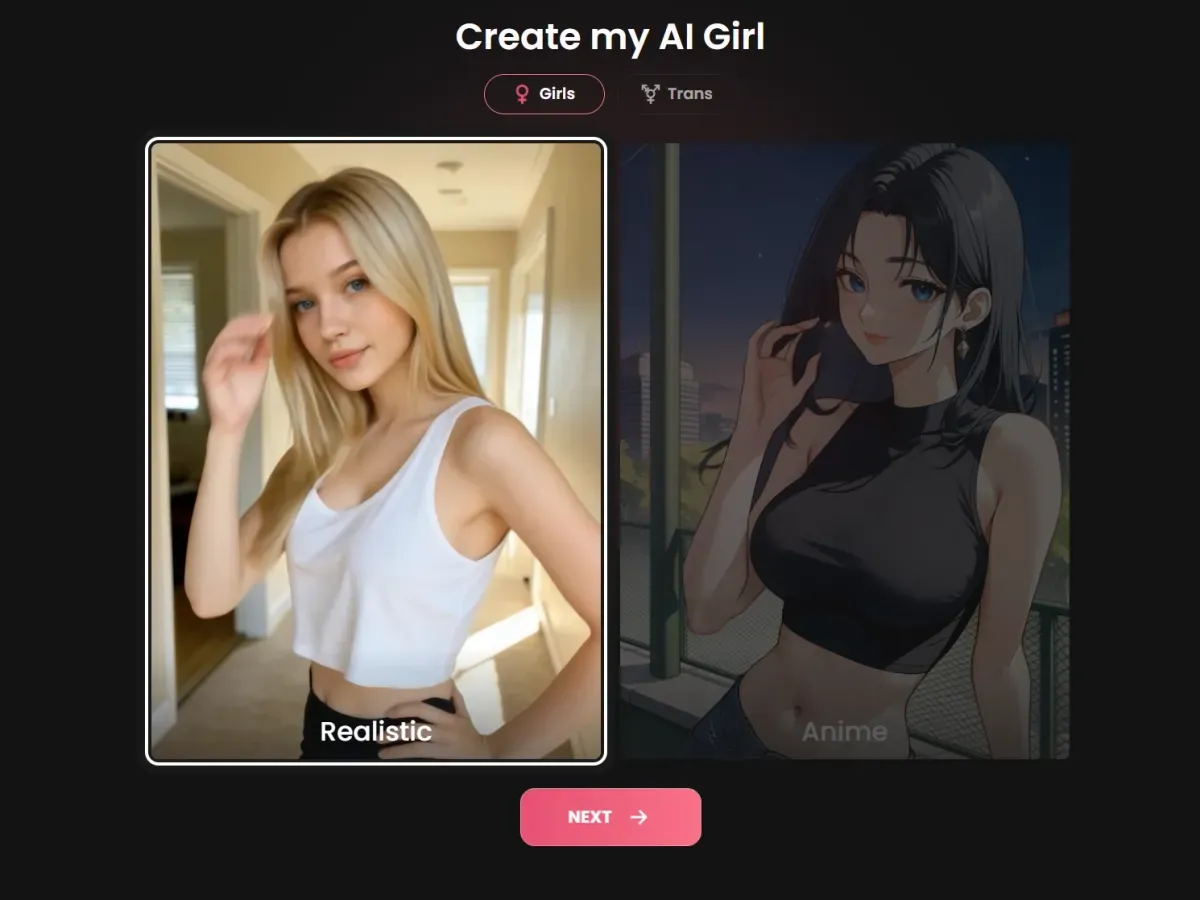
The page's code numbers four steps after the style screen: ethnicity, hair, body and the final details. The builder also keeps changing. Browsing the boyfriend side of the site served an older "Create my AI" page that opens on the same Realistic or Anime choice, and in September 2026 the age was set with a slider starting at 18 rather than the dropdown that was live on October 2, 2026.
The choices that shape the character
The looks screens decide how every image of the character comes out. The final screen decides how it talks, and it is the one to take slowly:
| Name | Up to 20 characters; in September 2026 a name was suggested, with a reroll button |
|---|---|
| Age | A dropdown from 18 to 55 |
| Personality | 12 options, such as Lover, Caregiver, Confidant, Shy or Queen |
| Relationship | 19 options, from Stranger, Friend or Neighbour to Girlfriend, Wife, Work Colleague or Boss |
| Occupation | 43 options, such as Model, Nurse, Streamer, Doctor or Writer |
| Tags | Up to 3 from a list of 24 adult interest tags |
| Voice | 9 voices, named for their tone: Confident, Cheerful, Calm, Thoughtful, Whimsical and others |
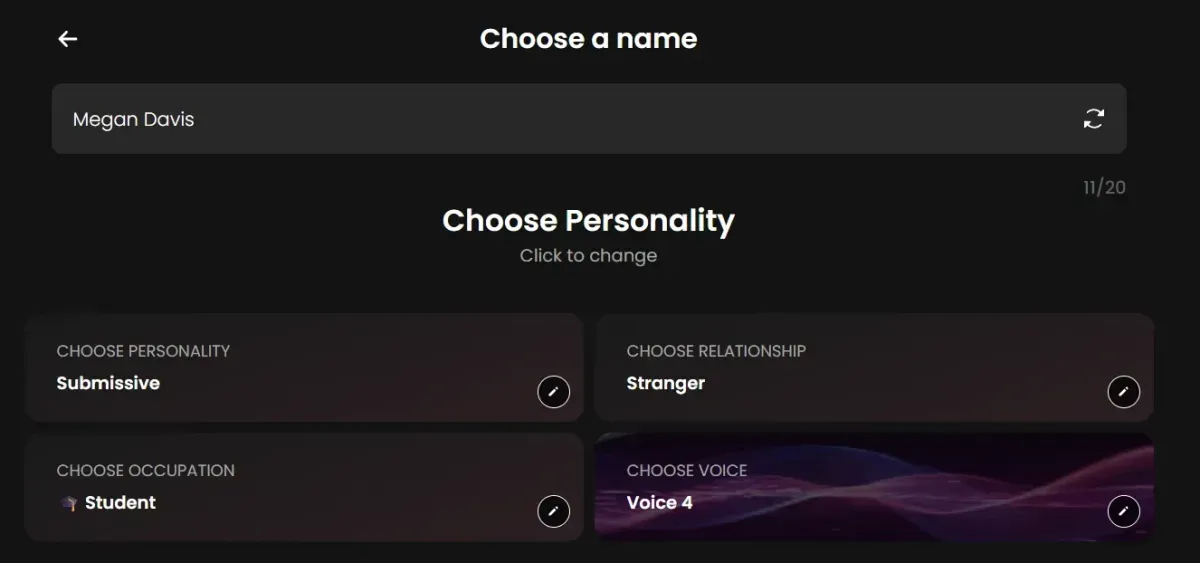
The voice sits on the same screen as the personality, which says how Candy AI treats it: as part of who the character is, heard in voice messages and calls, not as a playback option. The homepage adds a warning worth reading before you fill in every field: "The more detailed your companion, the more tokens you'll use." It doesn't say how many.
Is the Candy AI character creator free?
On paper, yes, once. The help center's article on free accounts, updated September 30, 2026, says a free user can create "one custom AI character", next to 5 chat messages and one image. The plans page sells "Create your own AI Girlfriend(s)" as a Premium benefit, and the upsell on creator profiles says "Create your own AI Girls". In practice the record is mixed, and we would rather say so than pick a side:
- The September run-through. On September 10, 2026, the builder could be walked to the final step on a free account, but no character appeared in My AI afterwards. The help center article was updated later that month.
- Tokens. The help center lists "Creating a custom AI" among the things tokens are spent on. Neither it nor the plans page says how many.
- How many with Premium. Not stated. An older help article promised "Unlimited creation of V2 characters", but it lists only three ethnicities against five in today's builder, and another old article says there are no trans presets, which the Trans tab now contradicts. Both are out of date.
If your free character doesn't appear, that matches what happened in September; ask support at support@candymail.ai rather than starting over.
Free account vs Premium vs tokens
| Your character | Free account | Premium | Tokens |
|---|---|---|---|
| Creating it | 1 character, per the help center | "Create your own AI Girlfriend(s)"; number not stated | Uses tokens; amount not published |
| Chatting with it | 5 messages in total, across all characters | Unlimited text | None for typing |
| Images of it | 1 image | 18+ images | Per image |
| Video | — | 18+ videos | Yes; 12 tokens for a 5-second scene in chat |
| Voice messages and calls | Not stated | Not stated | Yes; calls are 3 tokens a minute on the character pages we checked |
| Memory slots, personas, clone chats | — | Listed under Premium Plus | — |
Premium costs $3.99 a month on the annual plan (billed $47.88), $8.99 a month quarterly ($26.97) or $13.99 month to month, and adds 100 tokens a month "for image generation, video generation, creating custom AIs, and more", in the help center's words. Premium Plus raises that to 330 tokens, at a price not shown to visitors who are not signed in. Cancelling doesn't take your characters away: the help center says chats, images, characters and history "remain available as long as your account stays active". The full cost picture is in the price guide.
The rules: no real people, nothing resembling minors
The creator is where Candy AI's content rules matter most, because it is where you decide what a character looks like. Two rules are absolute:
- No real people. The Community Guidelines say users must not "create, publish, or share images that resemble real persons". The Blocked Content Policy adds a ban on impersonation and celebrity content and a "zero-tolerance policy" for deepfakes and images "intended to resemble actual persons". That rules out celebrities, creators, an ex or a colleague, even for a character only you will see.
- Nothing resembling minors. The Blocked Content Policy bans "Content Resembling Minors". The age setting starts at 18, and no style, setting or stated age gets around the rule, in Realistic or Anime.
The same documents ban non-consensual content, self-harm, violence, drug material and animal abuse, and trying to "jailbreak" the service. Flagged content can be reviewed by people, and account closures for violations are "always made by human reviewers". Anyone who thinks content resembles them can ask for its removal at support@candymail.ai under the Content Removal Policy.
If you want a real person's likeness, the only legitimate version on Candy AI is the licensed one: the creator twins, made "with the full consent of the creator". See Candy Shorts digital twins, and for the full rule set, Candy AI NSFW rules.
What you can do with your character afterwards
- Chat. It works like any other character in the Candy AI chat, with one extra: characters you create are the only ones with two chat modes, Classic and Roleplay. You switch from the three-dot menu, and the help center says the switch is permanent.
- Images. Ask for a picture in chat or use the generator; images cost tokens, and Premium unlocks 18+ images. The image generator guide covers prompts and the image toggle.
- Video. A suitable image from the chat can be converted into a short clip, and Candy AI also has a preset video builder; both are in the video generator guide.
- Share, within limits. Personal, unmonetized posting of Create My AI images is allowed; commercial use is not.
What your character can't do is star in a series. Candy Shorts are pre-written episodes with Candy AI's own cast and licensed creators, "separate from your chat conversations"; the series are covered in the Candy Shorts guide.
Privacy, and how long a character lasts
The terms license the content you submit to EverAI, including for training its AI models, and your chats with a custom character follow the same privacy rules as any other: flagged content can be reviewed, and messages may reach third-party LLM providers. More in is Candy AI safe.
Characters don't last forever by default, either. The terms allow account content to be removed "after defined periods of inactivity", resetting or deleting a chat wipes the character's memory of that conversation, and deleted chats can't be recovered. Deleting your account, under Settings and then Danger Zone, cancels any active subscription, and Candy AI keeps some data for legally required periods; the steps are in how to cancel Candy AI.
Before you build
With one free character on paper and a mixed record in practice, plan it before you start. Pick the style quickly, then spend your time on the final screen, where personality, relationship and voice decide how the conversations will go; reading a few ready-made characters' profiles first shows how a personality of a few words plays out in chat. Every other tool on the platform is in the Candy AI tools overview.
Frequently asked questions
How do you create your own AI girlfriend on Candy AI?
Open Create Character, pick Girls or Trans and Realistic or Anime, then choose ethnicity, hair, eyes and body type, and finish with a name, an age from 18 to 55, a personality, a relationship, an occupation and a voice. Once created, the character sits in My AI and chats like any other.
Is the Candy AI character creator free?
Candy AI's help center says a free account can create one custom character. A free-account run-through in September 2026 reached the end of the builder without a character appearing in My AI, so the product and the help center did not agree then. Premium lists "Create your own AI Girlfriend(s)" as a benefit.
Does creating a character on Candy AI cost tokens?
Yes. The help center lists creating a custom AI among the things tokens pay for, and the homepage warns that "the more detailed your companion, the more tokens you'll use". Candy AI doesn't publish the amount.
Can I create an AI that looks like a real person or a celebrity?
No. The Community Guidelines ban images that resemble real persons, and the Blocked Content Policy has a zero-tolerance rule on deepfakes. The only real likenesses on Candy AI are the licensed creator digital twins.
Can I make an anime character or an AI boyfriend?
Anime, yes: Realistic or Anime is the first choice, though Anime was marked "Coming Soon" for Trans characters on October 2, 2026. For boyfriends, the plans page reads "Create your own AI Boyfriend(s)" once you browse the boyfriend section, and that side of the site served an older version of the builder.
How many characters can I create with Premium?
Candy AI doesn't say. The plans page promises "Create your own AI Girlfriend(s)", plural, and each creation uses tokens. An older help article promised unlimited creation, but it is out of date on other details, so we don't rely on it.
Can I share pictures of my character?
For personal use, yes: the help center allows unmonetized posting of Create My AI images. Commercial use isn't allowed, and neither is posting content made with the characters featured on the Explore page or the homepage.
Related guides
Chat, images, video, your own characters and Private Content.
Read the guide → How does Candy AI chat work?Five free messages, then unlimited text with Premium; extras cost tokens.
Read the guide → How does the Candy AI image generator work?Images in chat or in the generator; one free, then tokens.
Read the guide → Is Candy AI NSFW?Adult content for 18+ users, with hard limits.
Read the guide →